
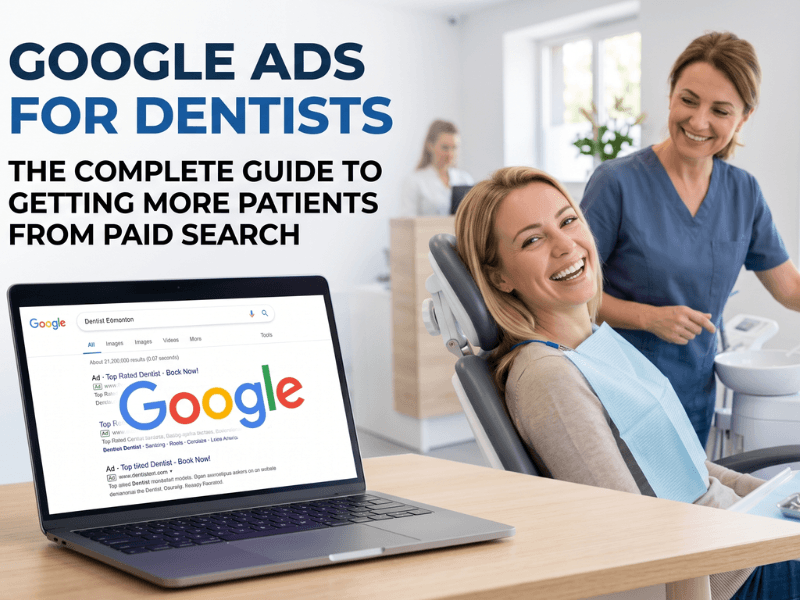
Google Ads is one of the fastest ways for a dental practice to generate new patient appointments. When someone searches "dentist near me" or "emergency dental appointment today," a well-structured campaign puts your clinic at the top of those results immediately, before any SEO work has had time to pay off.
This guide is written for dental practice owners and operators who want to understand how Google Ads actually works, what it costs, what results to expect, and how to avoid the mistakes that drain budgets without producing bookings.
By the end, you will know how to evaluate your current setup, ask the right questions, and make confident decisions about paid search for your practice.
How Does Google Ads Work for Dental Practices?
Google Ads operates on a pay-per-click (PPC) model. You bid on specific search terms, and your ad appears when someone searches for those terms. You only pay when someone clicks, not when your ad appears.
For dental practices, this means you can show up at the top of Google the same day a campaign launches, targeting patients in your specific city, suburb, or postal code who are actively searching for the services you offer.
The key components of every dental Google Ads campaign are:
Keywords - The search terms that trigger your ads
Ad copy - The text a patient sees before clicking
Landing page - The page they land on after clicking
Bidding - How much you pay per click
Targeting - Who sees your ad, where, and when
Conversion tracking - How you measure calls, form fills, and bookings
Each component directly affects whether your campaign produces appointments or just burns through budget.
What Keywords Should Dentists Bid On?
Keyword selection is where most dental campaigns either succeed or fail. The goal is to target search terms that signal strong booking intent, not just general curiosity.
High-Intent Keywords Worth Bidding On
High-intent keywords come from people who are ready to book. These are worth bidding on even when the cost-per-click is higher.
Examples include:
"dentist near me"
"emergency dentist [city name]"
"dental implants [city name]"
"Invisalign provider near me"
"teeth whitening dentist [suburb]"
"family dentist accepting new patients"
"same-day dental appointment"
Service-Specific Keywords to Consider
If your practice offers high-value services, build separate campaigns or ad groups for each one. This keeps your ads relevant and your costs efficient.
Services worth dedicated campaigns:
Dental implants
Orthodontics and Invisalign
Cosmetic dentistry
Pediatric dentistry
Sleep apnea and snoring treatment
Emergency dental care
Keywords to Exclude (Negative Keywords)
Negative keywords prevent your ads from appearing on irrelevant searches. Skipping this step wastes a meaningful portion of your budget.
Common negative keywords for dental practices:
dental school
dental jobs / dental careers
dental supply
how to pull your own tooth
free dental clinic
How Much Do Google Ads Cost for Dentists?
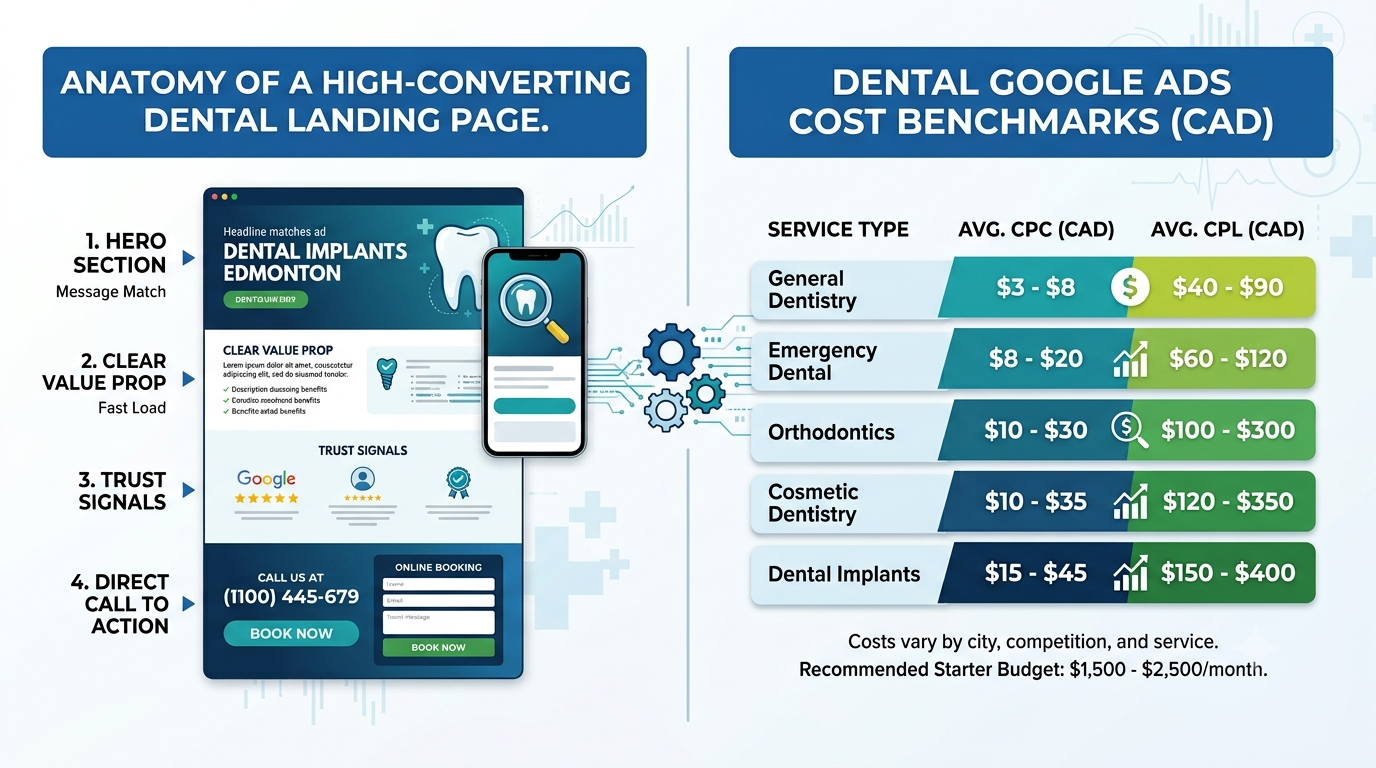
Cost varies significantly by location, competition, and service type. The table below reflects realistic benchmarks for Canadian markets. Major cities such as Toronto, Vancouver, and Calgary typically fall at the higher end. Smaller markets tend to produce lower costs with less competition.
Service Type | Avg. Cost Per Click (CAD) | Avg. Cost Per Lead (CAD) |
|---|---|---|
General dentistry | $3 - $8 | $40 - $90 |
Emergency dental | $8 - $20 | $60 - $120 |
Dental implants | $15 - $45 | $150 - $400 |
Invisalign / Orthodontics | $10 - $30 | $100 - $300 |
Cosmetic dentistry | $10 - $35 | $120 - $350 |
What Budget Should a Dental Practice Start With?
A minimum starting budget of $1,500 to $2,500 per month is recommended for a single-location practice. Campaigns running below this threshold often do not generate enough volume to optimize properly.
Practices targeting high-value services like implants or Invisalign should plan for $3,000 to $5,000 per month or more to compete effectively.
Healthcare advertisers see an average click-through rate of around 3.27% and a conversion rate of approximately 3.36%, though well-optimized dental campaigns routinely exceed these figures.
How to Structure a Dental Google Ads Campaign
Campaign structure directly affects performance. A disorganized account wastes budget and produces poor results.
Recommended Campaign Structure
One campaign per service category (general, emergency, cosmetic, implants, etc.)
Separate ad groups within each campaign for closely related keyword clusters
Two to three ad variations per ad group for testing
A dedicated landing page for each campaign or service type
What Makes a Strong Dental Ad?
Your ad copy needs to earn the click and pre-qualify the patient. Avoid generic copy like "Best Dentist in [City]." Write ads that speak directly to what the patient needs in that moment.
Elements of a strong dental ad:
Clear service and location in the headline (e.g., "Dental Implants in Calgary")
A specific patient benefit (e.g., "Same-Day Consultations Available")
A trust signal (e.g., "500+ 5-Star Google Reviews")
A direct call to action (e.g., "Book Online Today" or "Call Now")
Google allows up to 15 headlines and 4 descriptions in responsive search ads. Use all available character space to test different combinations.
Why Your Website Alone Is Not Enough
Sending paid traffic to your homepage is one of the most common and costly mistakes dental practices make. Homepage visitors have too many options and too many distractions to convert consistently.
A dedicated landing page for each campaign keeps the patient focused on one action: booking an appointment.
What a High-Converting Dental Landing Page Includes
A headline that matches the ad they clicked (message match)
A clear description of the service
A prominent phone number and online booking form visible without scrolling
Trust elements: Google reviews, star ratings, years in practice, credentials
A short patient outcome section where appropriate
A single call to action repeated throughout the page
Fast load speed and full mobile optimization
If a patient clicks your ad on their phone and your page loads slowly or is hard to navigate, they will leave and call the next result. Google's research shows that 53% of mobile users abandon a site that takes longer than three seconds to load, which makes page speed a direct factor in your cost-per-patient.
Conversion Tracking: How Do You Know If Your Ads Are Actually Working?
Running Google Ads without conversion tracking is like running a promotion and never checking how many patients came in because of it. You cannot improve what you cannot measure.
What to Track in a Dental Google Ads Account
Phone calls from ads (using Google call tracking or a dedicated call tracking number)
Phone calls from the landing page itself
Form submissions (new patient inquiries, appointment requests)
Online booking completions, if your booking system supports it
Every conversion should tie back to the keyword and campaign that drove it. This tells you where to increase budget and where to cut.
The Metric That Actually Matters: Cost Per New Patient
Most agencies report on clicks and impressions. The metric that matters for your practice is cost per new patient booked, not cost per click.